
HyperWrite AI Review: Is It the Perfect AI Writing Assistant for You?

Table of Contents
- 1. Introduction
- 2. What is HyperWrite AI?
- 3. Who Created HyperWrite AI?
- 4. Key Features of HyperWrite AI
- 5. HyperWrite AI Pricing Plans
- 6. Pros and Cons of HyperWrite AI
- 7. Who Should Use HyperWrite AI?
- 8. How to Use HyperWrite AI: Step-by-Step Tutorial
- 9. Top 3 HyperWrite AI Alternatives Compared
- 10. My View on HyperWrite AI
- 11. Frequently Asked Questions About HyperWrite AI
- 12. Conclusion
Introduction
Struggling with writer's block or spending too much time refining your content? AI writing tools, like HyperWrite AI, are here to help you streamline your process and enhance your productivity. With AI technology advancing at lightning speed, HyperWrite AI has emerged as one of the leading tools for writers, professionals, and marketers. But is it worth the investment?
This HyperWrite AI review of HyperWrite AI will explore its key features, pricing plans, benefits, and potential drawbacks. We'll also compare it with some top HyperWrite alternatives and provide practical tips to get the most out of the platform. By the end, you'll know if HyperWrite is the AI writing assistant you’ve been searching for.
What is HyperWrite AI?
HyperWrite AI is an advanced AI-powered writing assistant designed to help users craft engaging, clear, and high-quality written content. Whether you're working on emails, blog posts, essays, or presentations, HyperWrite AI minimizes the stress of writing by improving grammar, structure, and tone. It acts like your personal editor, brainstorming partner, and productivity booster all in one.
A standout feature of HyperWrite is how it seamlessly integrates into your writing environment, offering real-time suggestions and guidance. It adapts to your unique style, ensuring your voice remains authentic while delivering polished and professional results.
Who Created HyperWrite AI?
HyperWrite AI was created by Matt Shumer, a tech innovator passionate about transforming the way we communicate. Matt envisioned an AI assistant that could empower writers of all skill levels by simplifying the writing process and enhancing creativity. With his commitment to making AI accessible, HyperWrite has grown into a powerful, user-friendly tool that caters to students, marketers, content creators, and professionals.
Key Features of HyperWrite AI
HyperWrite AI redefines modern writing with its cutting-edge tools designed to empower creators across industries. Combining intuitive functionality with adaptive intelligence, this AI-driven platform streamlines workflows while enhancing output quality—here’s what makes it a game-changer.
1. Accelerate Content Creation
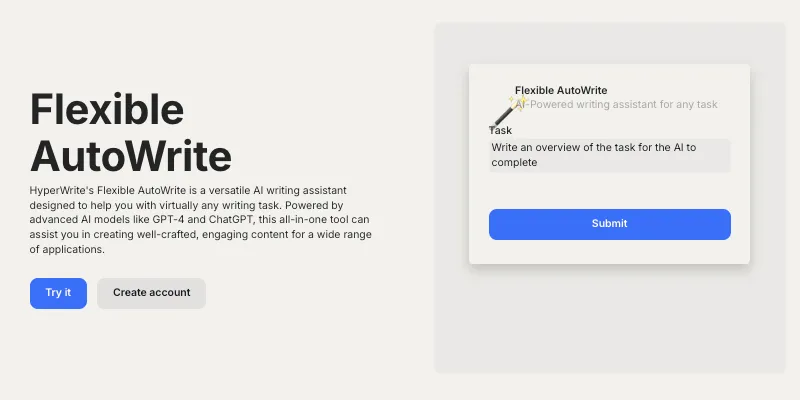
HyperWrite AI turbocharges productivity with Flexible AutoWrite, an intelligent autocomplete system that anticipates your next words. Powered by advanced language models, it suggests context-aware completions for sentences, paragraphs, or entire documents, slashing drafting time by up to 50% while maintaining your unique voice.
2. Precision Editing & Style Refinement
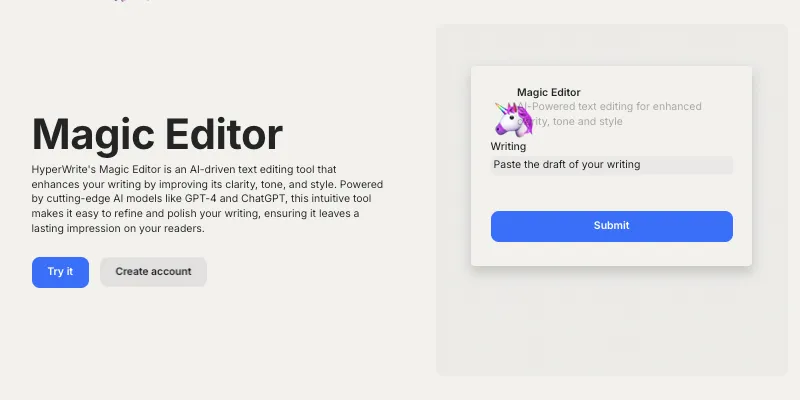
Elevate every sentence with the Magic Editor, a real-time writing coach that polishes grammar, clarity, and tone. Beyond basic corrections, it restructures awkward phrasing, enriches vocabulary, and adapts suggestions to match your preferred style—whether casual blog posts or formal business reports.
3. Break Through Creative Barriers
Stuck on a blank page? HyperWrite AI’s Idea Generator instantly produces outlines, headlines, and thematic prompts. Its neural networks analyze your topic to deliver structured brainstorming support, transforming writer’s block into a launchpad for compelling narratives.
4. Smart Email Automation
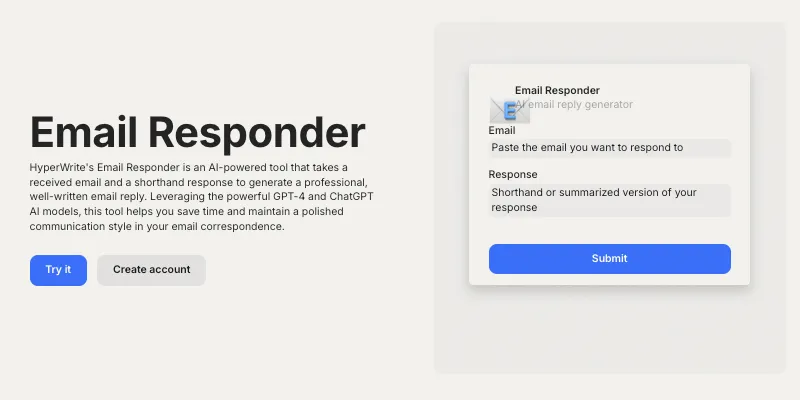
Craft flawless communications with the Email Responder, which generates polished, personalized replies in seconds. From client inquiries to internal memos, this tool analyzes message context to maintain professionalism while mirroring your communication style.
5. Adaptive Multitask Mastery
Juggle diverse projects effortlessly with HyperWrite AI’s Versatile Writing Suite. Seamlessly switch between crafting social media captions, SEO articles, speeches, and even creative fiction—all within a unified interface. The AI dynamically adjusts its approach based on content type, ensuring optimal results for every format.
6. Cross-Platform Workflow Integration
The HyperWrite Chrome Extension embeds AI assistance directly into your daily tools, including Google Docs and Gmail. Enjoy real-time suggestions without app-switching, making AI collaboration as natural as typing.
7. Customizable AI Co-Pilot
Tailor HyperWrite AI to your niche with Personalized Learning Mode. The more you use it, the better it understands your terminology, sentence structures, and industry-specific requirements—evolving into a bespoke digital writing partner.
Unlike generic writing tools, HyperWrite AI merges speed with sophistication. Its proprietary models go beyond text generation, offering contextual awareness and style adaptation that mirror human expertise. Whether optimizing marketing copy or academic papers, users gain an edge through features that learn, adapt, and grow with their needs—all accessible via a clutter-free interface praised by novices and experts alike.
HyperWrite AI Pricing Plans
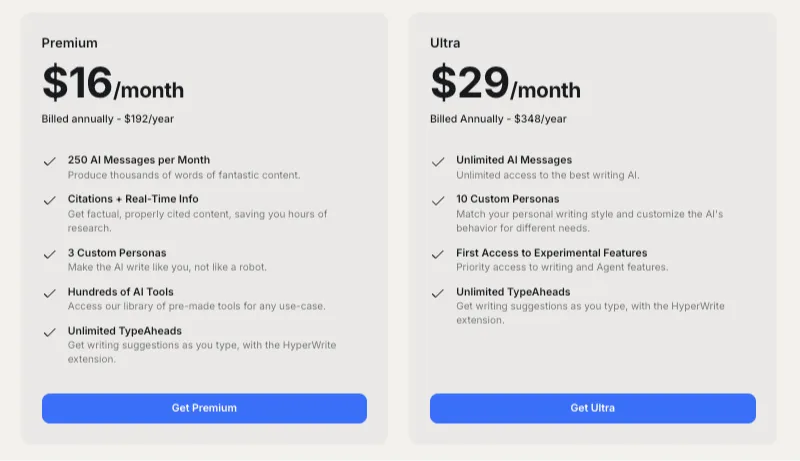
HyperWrite AI offers flexible pricing, suitable for beginners and experienced professionals alike. Here’s what each plan includes:
| Plan Name | Price | Features |
| Free Trial | $0 | Limited access to test the platform; great for beginners. |
| Premium | $16/month | 250 AI messages, writing suggestions, basic personalization, and citation tools. |
| Ultra | $29/month | Unlimited AI messages, advanced personalization (10 custom personas), priority feature access. |
Each plan ensures great value while catering to specific writing needs, from casual users to professional writers with demanding workloads.
Pros and Cons of HyperWrite AI
| Pros | Cons |
| ✅ Accelerates Writing Speed: Produce content faster with real-time suggestions. | ❌ Occasional Error: Like any AI, HyperWrite requires human oversight. |
| ✅ Improves Quality: Helps refine grammar, tone, and structure. | ❌ Learning Curve: Some advanced features may take time to master. |
| ✅ Tackles Writer’s Block: Spawns creative ideas effortlessly. | ❌ Paid Plans: While feature-packed, it’s not free for heavy usage. |
| ✅ Learns Your Style: Adapts to your writing habits for enhanced personalization. | |
| ✅ Seamless Integration: Works across platforms like Google Docs and browsers. |
Who Should Use HyperWrite AI?
HyperWrite AI is ideal for:
- Content Creators: Bloggers, YouTubers, and influencers needing tailored copy for their platforms.
- Students: Craft essays, reports, and presentations with ease.
- Marketers: Create ad copy, email campaigns, and SEO content quickly.
- Professionals: Write clear, polished emails, proposals, and reports effortlessly.
If you juggle multiple writing tasks or struggle with creativity, HyperWrite AI delivers game-changing value.
How to Use HyperWrite AI: Step-by-Step Tutorial
Step 1: Sign Up
Create a free HyperWrite account directly on the website.
Step 2: Choose a Plan
Opt for the free trial or a premium plan based on your needs.
Step 3: Install Extensions
Add HyperWrite’s Chrome extension for seamless online integration.
Step 4: Start Writing
Begin typing and explore suggestions for grammar, style, and tone improvements.
Step 5: Refine with Magic Editor
Use advanced editing features to enhance clarity or shift tone.
Step 6: Generate Content
Craft entire blocks of text with the AI Writer or brainstorm ideas using HyperWrite’s brainstorming tool.
Top 3 HyperWrite AI Alternatives Compared
While HyperWrite AI is a standout tool for enhancing your writing experience, it’s always good to explore other options to find what suits your specific needs. Here’s a closer look at some of the top alternatives, each bringing unique strengths to the table:
Jasper AI
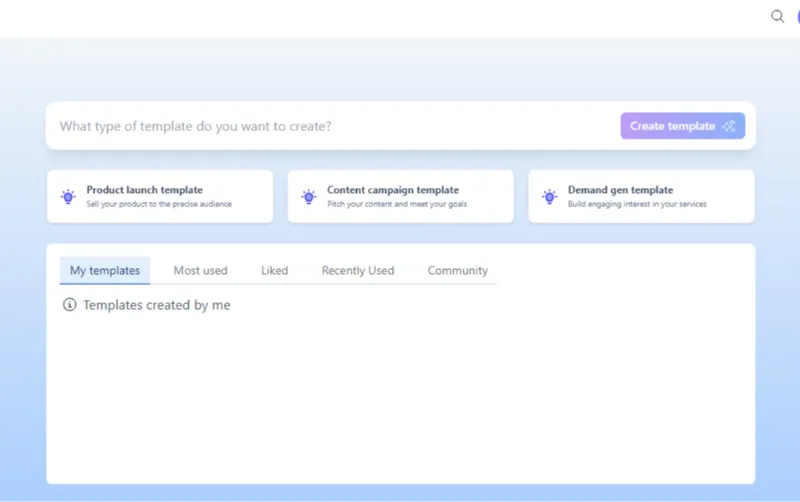
If marketing copy is your focus, Jasper AI delivers exceptional results. Known for its ability to craft persuasive and conversion-focused content, Jasper AI offers a wide range of templates ideal for ad copy, social media posts, landing pages, and more. Whether you're launching a campaign or crafting product descriptions, this tool is tailored to meet the needs of marketers looking to maximize impact.
Copy AI
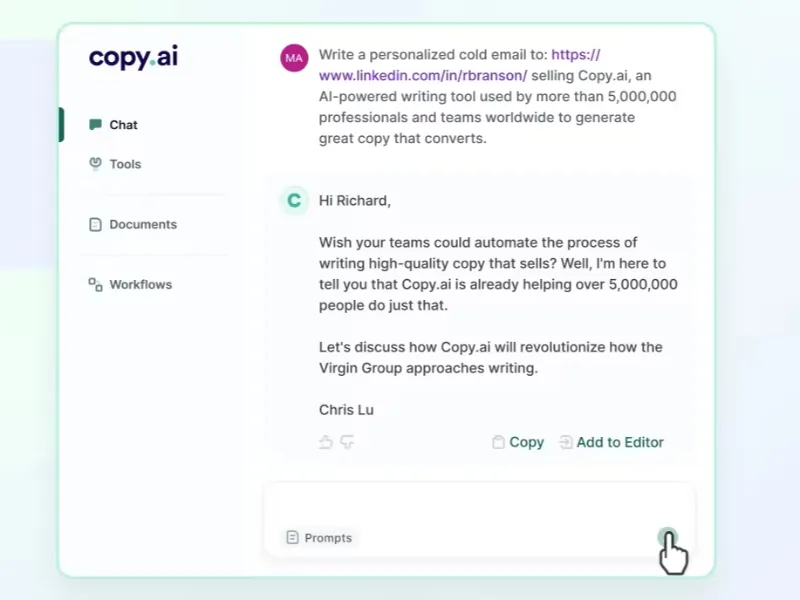
For those who value versatility, Copy AI is worth considering. It supports a variety of writing styles and formats, making it a great all-round choice. From blog posts and email subject lines to product descriptions and creative stories, Copy AI helps users tackle virtually any content type. Its flexibility makes it a favorite among content creators who juggle diverse writing tasks daily.
Writesonic
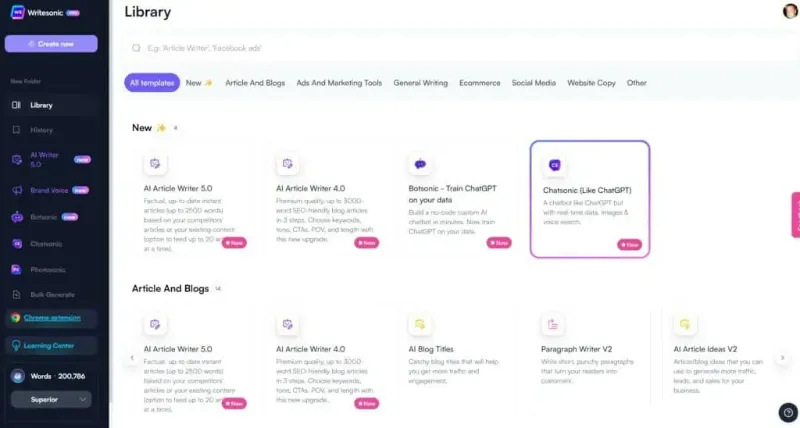
Writesonic caters specifically to bloggers and creators of long-form content. It’s equipped with tools to generate comprehensive blog post outlines, compelling introductions, and strong conclusions. Another major advantage is its focus on search engine optimization (SEO), helping you craft content that ranks well without sacrificing readability. For anyone producing in-depth articles or web content, Writesonic provides an edge.
My View on HyperWrite AI
After testing HyperWrite AI, it’s clear the platform delivers exceptional value to writers. Its blend of personalized suggestions and advanced integrations made content creation faster and more enjoyable. The flexibility offered by tools like the Magic Editor and AutoWrite is a significant advantage over traditional apps. However, occasional AI errors do mean that some level of human oversight is still needed.
Frequently Asked Questions About HyperWrite AI
Q: What kind of writing can HyperWrite AI help with?
Emails, blogs, social media copy, essays, speeches, and more.
Q: Is HyperWrite AI beginner-friendly?
Yes, its intuitive interface makes it easy for new users.
Q: Does HyperWrite AI replace human writers?
No, it complements creativity but requires human editing.
Q: Is HyperWrite AI data-safe?
Yes, HyperWrite employs advanced security measures to protect your data.
Conclusion
HyperWrite AI is a game-changer for anyone looking to save time, improve quality, and tackle writer's block. While it may not be perfect, its combination of cutting-edge features and personalization makes it one of the best AI tools available today. Ready to validate our HyperWrite AI review findings? Start your risk-free trial today and experience its capabilities yourself.
Elevate your content creation game with HyperWrite AI personal assistant and discover how efficient writing can be.
More Articles
![JotBot AI Review [2025]: Is JotBot Actually Helpful for Writers?](https://static.perkinfo.com/content/article/1755227297144_0e9d2f588d673d05.webp)
JotBot AI Review [2025]: Is JotBot Actually Helpful for Writers?
Introduction Writing can sometimes feel like an uphill battle, especially when you're staring at a blank screen with no idea where to start. Enter JotBot AI—a smart writing assistant designed to make content creation easier, faster, and more efficient. But the big question is, "How good is JotBot AI?" This JotBot AI review dives deep into JotBot AI, exploring what it offers—from key features to pricing and real-life applications—to help you decide if it deserves a spot in your writing toolkit. What is JotBot AI? JotBot AI is a cutting-edge writing assistant powered by artificial intelligence. Imagine having a tireless writing partner who helps you craft everything from blog posts and essays to social media captions and marketing copy—and does it in seconds. That’s JotBot AI! Whether you're a seasoned writer or someone just starting, JotBot AI’s intuitive platform offers tools to improve your writing, suggesting style adjustments and even helping you find credible sources for articles. It’s more than a grammar checker; it’s a complete writing companion. Who Created JotBot AI? JotBot AI was founded by Declan Gessel and his team, who saw the challenges many face in generating high-quality content. Their mission? To create a writing tool that feels less like a robotic algorithm and more like a collaborative partner. The result is a user-friendly platform designed to understand your unique writing voice and improve your content with helpful, context-driven suggestions. Also Read: Claude AI Free vs Pro >> Key Features of JotBot AI JotBot AI takes content creation to the next level by combining intelligent tools with practical features to elevate how you write. Whether you’re a professional writer, a student, or someone who just needs help organizing their thoughts, JotBot AI is designed to meet your needs. Here's how JotBot AI helps you write smarter, faster, and better. Overcome Writer’s Block Stuck staring at a blank screen? JotBot AI takes the pressure off by generating ideas, outlines, and even full drafts to get you started. Its brainstorming capabilities turn that initial hurdle into a thing of the past, ensuring you're never at a loss for words again. Save Time and Boost Productivity Forget time-consuming tasks like researching, drafting, and editing for hours. JotBot AI creates high-quality content in seconds, freeing up your time for other priorities. By automating key parts of the writing process, you can produce more content without sacrificing quality, whether it’s blog posts, marketing materials, or social media updates. Improve Your Writing Skills JotBot AI is like having a personal writing coach at your fingertips. It suggests alternative styles, vocabulary, and edits to enhance your writing, helping you grow as a writer over time. It refines your work for better clarity, structure, and polish. Create High-Quality, Tailored Content JotBot AI delivers well-written, grammatically correct, and engaging content that's always on point. Whether you need professional, conversational, or even creative tones, JotBot AI can adapt to your preferences, ensuring every piece of writing matches your unique voice or specific audience needs. Standout Features That Simplify Writing JotBot AI stands out with advanced features that take care of the heavy lifting for you: AI Essay Writer generates essays tailored to your topic and preferred style. It adapts to various formats, making it invaluable for students and academics. AI Source Finder reduces the hassle of researching credible sources, automatically finding and citing relevant information to back up your content. AI Outline Generator helps structure your ideas into a clear, logical order, perfect for long-form content like articles and blog posts. Say goodbye to disorganized drafts! AI Commands make content creation versatile and fun. Generate anything from product descriptions and marketing copy to social media posts or even poems with just a command. Editing Assistant acts as a professional proofreader, catching grammar mistakes, stylistic issues, and inconsistencies. It ensures your final piece is not only error-free but also polished and engaging. Whether you’re drafting an essay, crafting a blog post, or refining your writing style, JotBot AI is the all-in-one tool designed to make your writing better and your life easier. With its robust capabilities, you can focus on creativity while JotBot takes care of the details. JotBot AI Pricing Plans JotBot AI offers flexible pricing options to cater to different needs: Plan Price (monthly) Features Free $0 10 daily credits, up to 3 sources, access to basic features. Pro $20 Unlimited credits, unlimited sources, advanced features, and autocomplete. With its free plan, you can try JotBot AI without any financial commitment, making it accessible to a wide audience. Pros and Cons of JotBot AI Here’s a quick breakdown to help you weigh its strengths and weaknesses: Pros Cons ✅ Time-Saving: Generates quality content in seconds. ❌ Occasional Errors: Generated content may require fact-checking and manual fine-tuning. ✅ High-Quality Writing: Produces grammatically correct, polished content tailored to your needs. ❌ Lacks Human Touch: While effective, the AI’s output might feel less personal for creative projects. ✅ Versatility: Adapts to various content types from blog posts to captions. ❌ Offline Limitations: Requires internet access to function. ✅ Customization: Fine-tune tone and style to align with your target audience. ❌ Learning Curve: Although intuitive, beginners may need time to understand all features. ✅ Ease of Use: User-friendly design suited for both beginners and professionals. Who Should Use JotBot AI? JotBot AI is ideal for: Students who need help with essays or research assignments. Content Creators looking to streamline blog, social media, or newsletter creation. Marketers aiming to craft compelling ad copy or promotional material. Small Business Owners managing their brand’s online presence with limited resources. Writers seeking to enhance productivity and refine their existing content. If you fall into any of these categories, you’ll likely find JotBot AI to be a valuable tool. How to Use JotBot AI: Step-by-Step Tutorial Here’s a quick guide to get started with JotBot AI: Step 1: Sign Up Create an account at JotBot’s official website. Step 2: Choose a Plan Start with the free plan or select a Pro subscription for advanced features. Step 3: Input Data Enter your topic, key points, or desired commands in the text editor. Step 4: Generate Content Click the "Generate" button to produce content instantly. Step 5: Refine Use the Editing Assistant to polish your work before publishing or submitting it. Step 6: Download or Share Export your final copy in your preferred format. Top 3 JotBot AI Alternatives Compared While JotBot AI stands out for its comprehensive features and user-friendly nature, there are several other AI writing tools worth considering. Each JotBot alternative brings unique strengths to the table, catering to different writing needs, budgets, and preferences. Below, we explore some popular options and how they compare to JotBot AI. 1. Jasper Jasper is a leading AI writing tool that has gained a reputation for its incredible versatility and high-quality output. It offers a wide range of templates, making it ideal for tasks like crafting blog posts, ad copy, email campaigns, and even creative writing. Jasper’s ability to understand context allows it to generate content that feels authentic and tailored to your specific needs. However, its robust feature set comes at a higher price point compared to JotBot AI. While JotBot AI offers budget-friendly options starting at $0 for basic features, Jasper may not be the first choice for those working within a tight budget. That said, for users who need a premium tool with advanced capabilities and broader customization options, Jasper is a strong competitor. 2. Copy.ai Copy.ai is another excellent choice, particularly suited for those focused on creating compelling marketing content. It excels at generating creative copy for product descriptions, social media posts, ad campaigns, and more. Marketers and businesses often praise Copy.ai for its knack for producing engaging and catchy content that drives conversions. Compared to JotBot AI, Copy.ai specializes more narrowly in marketing and advertising, whereas JotBot AI provides a broader set of tools, including academic writing and outline generation. If you’re a marketer looking to streamline your workflow and focus specifically on ad copy or promotional materials, Copy.ai may be the tool for you. However, if you’re looking for more diverse functionality, JotBot AI might be a better all-in-one choice. 3. Rytr Rytr is an attractive option for those seeking quality on a budget. Known for being simple and easy to use, Rytr offers a solid range of writing styles and tones, making it suitable for blog posts, emails, and social media content. It’s a great option for individuals, freelancers, or small businesses who want to create polished content without breaking the bank. When compared to JotBot AI, Rytr prioritizes affordability and simplicity. While JotBot AI provides advanced tools like an AI Source Finder and Essay Writer, Rytr focuses on offering a straightforward and cost-effective alternative. For users who don’t require specialized features or extensive customizations, Rytr provides excellent value for the price. When deciding which AI writing tool to use, it all comes down to your specific needs. If you’re looking for an affordable, all-in-one tool with robust features like essay generation, content editing, and customization, JotBot AI is a fantastic choice. On the other hand, if you need specialized marketing content, Copy.ai is worth exploring. For premium versatility and high-end outputs, Jasper is a top-tier option, whereas Rytr stands as a budget-friendly alternative for simpler tasks. Whatever your goals, there’s an AI writing tool to match your needs. Frequently Asked Questions About JotBot AI Q: Is JotBot actually helpful for writing? Yes! JotBot AI simplifies content creation, offering suggestions, grammar fixes, and even outlines. It’s especially useful for those dealing with writer’s block or tight deadlines. Q: How good is JotBot AI for students? JotBot is excellent for students, assisting with brainstorming, essays, and proofreading. However, always ensure work is ethical and original. Q: Can JotBot AI create content for different use cases? Absolutely! From business emails to blog posts and poetry, JotBot AI adapts to various writing styles. Q: What are its limitations? While powerful, occasional inaccuracies and the need for manual touch-ups highlight its reliance on clear instructions. Q: Is there a free trial? Yes, the free plan offers basic features so you can test the tool before upgrading. Conclusion JotBot AI emerges as a reliable AI writing assistant for students, creators, and professionals. While it’s not perfect, its ease of use, robust features, and ability to save time make it a standout tool. If you’re looking to enhance your content creation process and see how JotBot AI adds value, give it a try, as mentioned in JotBot AI review - your writing might just thank you!
Why You Should Try SlidesAI — AI-Powered Presentations in Minutes
Discover how SlidesAI turns your text into polished slides in minutes. Save time, leverage AI-driven layouts and visuals, and create presentations in Google Slides or PowerPoint without design skills.

Exploring Alternatives to LOVO AI: What’s Next for Voice-Over & TTS Creation
If you're searching for alternatives to LOVO AI, this 2025 guide reviews top AI voice-over and text-to-speech platforms. Compare features, pricing, voice quality and discover what fits your needs.

Unlocking the Secrets of Aries and Taurus Chemistry in the Bedroom
Sexual Compatibility for Aries and Taurus. Discover this and more here.

Weekly Horoscope: March 18–24, 2024
With the sun moving into Aries, this week the universe wipes the slate clean and offers you some do-overs, so why not take them?

Facetune Review (2025): The Ultimate AI Photo Editing App?
A full 2025 review of Facetune—features, editing quality, filters, AI retouching tools, pricing, and whether it’s worth using for photos and social media.

AnythingLLM
AnythingLLM is an all-in-one AI application that allows users to chat with any document using various LLMs, with full privacy and customization options.

Whisper AI
Whisper is an **open-source** automatic **speech recognition** system from **OpenAI** that approaches **human-level** accuracy and robustness for **transcribing and translating** speech in multiple la