
Wisdolia

Wisdolia is an AI-powered Chrome extension that automatically generates flashcards from various study materials to enhance learning efficiency.
Table of Contents
About Wisdolia
Wisdolia is an innovative AI-powered educational tool designed to revolutionize the way students and lifelong learners study. As a Chrome extension, it transforms a wide range of study materials including PDFs, web articles, YouTube videos, lecture slides, and even diagrams into interactive flashcards and quizzes. Wisdolia aims to save users time and effort in creating study aids while boosting retention and test performance through active recall techniques.
Key Features
Wisdolia is an AI-powered educational tool that automatically generates flashcards and multiple choice questions from various content sources like articles, PDFs, YouTube videos, and diagrams. It offers personalized feedback, supports multiple languages, and integrates with spaced repetition platforms to enhance learning efficiency and retention. AI-Generated Flashcards: Automatically creates question and answer flashcards from diverse content sources, saving time and effort in study preparation. Multi-Platform Support: Works with various content types including PDFs, YouTube videos, articles, textbooks, and even diagrams. Personalized Feedback: Provides immediate feedback on answers, helping users identify and focus on knowledge gaps. Language Flexibility: Can read and generate flashcards in multiple languages, making it useful for language learning and international students. Spaced Repetition Integration: Allows export to platforms like Anki, leveraging proven memory retention techniques.
Use Cases
Exam Preparation: Students can quickly generate study materials from textbooks and lecture notes to prepare for tests more efficiently. Language Learning: Language learners can create flashcards from articles or videos in their target language to improve vocabulary and comprehension. Professional Development: Professionals can use Wisdolia to create flashcards from industry articles or training materials to stay updated in their field. Medical Education: Medical students can generate flashcards from complex diagrams and research papers to memorize anatomical structures and medical concepts.
Pros
Saves significant time in creating study materials Supports various content types and languages Offers personalized feedback for targeted learning Integrates with spaced repetition systems for better retention
Cons
Effectiveness depends on the quality of source material May have limitations in accurately interpreting complex or specialized content Requires a learning curve to use all features effectively Free version has limitations on usage
How to Use
Install the Wisdolia Chrome extension: Go to the Chrome Web Store and install the free Wisdolia extension for your browser. Open the extension on a webpage: When viewing an article, PDF, or YouTube video you want to study, click the Wisdolia extension icon in your browser. Generate flashcards: Click the 'Generate Flashcards' button in the extension popup to have Wisdolia analyze the content and create flashcards. Review generated flashcards: Wisdolia will provide 3-5 question and answer flashcards based on the content. Review these to test your understanding. Save flashcards: Choose to save the flashcards to your Wisdolia account or export them to Anki for spaced repetition studying. Use image occlusion feature: For diagrams or images, use Wisdolia's AI image occlusion feature to create flashcards that test your knowledge of labeled parts. Practice active recall: Use the generated flashcards to actively test your knowledge and improve retention of the material you've studied.
Official Website
Visit https://wisdolia.com/ to learn more.
More Articles

Statement victories for RS Berkane and defending champions Pyramids FC
RS Berkane produced a confident and controlled performance at home to secure a 3–0 victory over Zambia’s Power Dynamos in Berkane.

Egypt take full strength squad to Al Ain International Cup
Egypt is taking a full-strength squad to the Al Ain International Cup in the United Arab Emirates this month as it prepares for the TotalEnergies CAF Africa Cup of Nations finals in Morocco, where it will be looking for its first continental title in 15 years.

Bus Rental and Lounge Waiting Rooms about RegioJet
Get the latest RegioJet information and discounts. Read the detailed introduction and shopping guides.

Anthropic’s Claude reports widespread outage
Anthropic's AI chatbot Claude experienced widespread service disruptions on Monday morning, with thousands of users reporting issues accessing the bot.

Late Kim Sae Ron's Last Film Suffers Terrible Fate
The movie Before We Knew, starring the late Kim Sae Ron, quickly fell out of the box office rankings shortly after its release, contrary to early expectations. According to the Korea…
Entertainment Stocks Lose Billions Of Dollars, Concerns About World Tour Disruption Arise
Amid the K-entertainment stock market shaking due to the war between the U.S., Israel, and Iran, the combined market capitalization of the four major entertainment companies has evaporated by more…

Famous Producer Indicted For Forcibly Molesting A Colleague
A famous variety show producer (PD) accused of forcibly molesting a junior colleague at work has been sent to trial. On the 27th, the Seoul Western District Prosecutors’ Office announced…
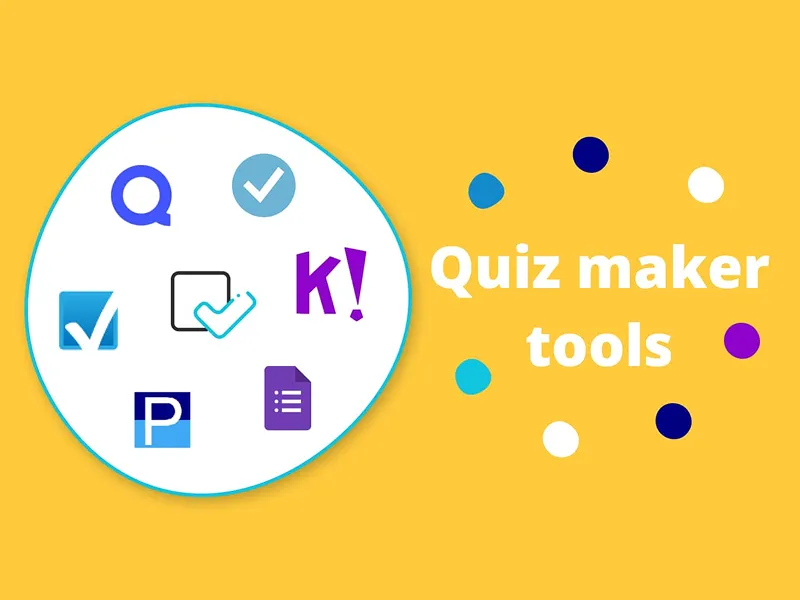
Flexiquiz Review 2025: The Ultimate Online Quiz Maker
Creating quizzes doesn’t have to be a daunting task. Whether you’re a teacher needing to assess students, a business seeking training tools, or a hobbyist hosting a fun quiz night, having the right platform can make all the difference. Enter Flexiquiz, a robust and user-friendly online quiz maker. With easy-to-use features, advanced customization options, and budget-friendly pricing, Flexiquiz is shaping up to be the quiz maker of choice for 2025. This review will explore its key features, benefits, pricing, and why it stands out among other tools. What is Flexiquiz? Flexiquiz is an online platform designed to create quizzes, exams, and interactive tests for professional and personal use. Think back to those multiple-choice tests you used to take in school, but this time, you’re in control as the quiz creator! From live quiz games to formal assessments, Flexiquiz offers the flexibility to cater to a wide range of needs. Whether for fun or functionality, it’s easy to use and packed with features that make quiz creation both simple and engaging. Why Choose Flexiquiz? Flexiquiz is designed by Logic Software with a mission to simplify online assessments for various users, ranging from educators to enterprises. Here’s what makes it special: Effortless quiz creation tailored to your needs. Options to host secure, formal exams or casual live quizzes. Continuous updates and new features to enhance functionality. Top Benefits of Flexiquiz 1. Ease of Use Flexiquiz’s intuitive interface guides users through the quiz creation process. No prior experience? No problem! You can create quizzes in minutes with step-by-step instructions. 2. Variety of Question Types Gone are the days of boring assessments. Flexiquiz offers diverse question types such as multiple choice, true/false, fill-in-the-blank, and matching. Add images or videos to further engage your audience. 3. Customizable Designs Personalize your quizzes with logos, colors, and designs that match your brand or style. Flexiquiz even supports custom CSS for advanced users seeking more detailed customization. 4. Automated Grading Save valuable time with automatic grading. Flexiquiz evaluates responses instantly and provides participants with immediate scores. 5. Detailed Reporting Gain insights with Flexiquiz’s in-depth reports, which track individual scores, group performance, and even question-specific analytics. 6. Secure Features With options like access codes and secure browser settings, Flexiquiz ensures that both casual and formal assessments remain private and fair. 7. Live Quiz Hosting Inject fun and interactivity into your quizzes with Flexiquiz’s live quiz mode. Display leaderboards to track participant scores in real-time. Best Features of Flexiquiz Quiz Maker Flexiquiz’s core feature is easy to use and versatile. With support for multimedia integration, you can craft engaging quizzes appropriate for any audience. Custom CSS For tech-savvy users, Flexiquiz allows styling through custom CSS, helping to create visually unique quiz presentations. Exam Builder If you’re designing formal tests, Flexiquiz has you covered. Implement time limits, randomize questions, and prevent cheating with secure settings. Custom Grading You’re not limited to traditional right-or-wrong scoring. Flexiquiz lets you assign partial credit, weigh scores, and provide personalized feedback. Live Quizzes Leverage the interactive live quiz feature to host gamified sessions, whether for classrooms, corporate training, or just a fun night with friends. Flexiquiz Pricing Flexiquiz offers a range of pricing plans tailored to meet different needs, ensuring flexibility and affordability for users. The free plan includes basic features such as unlimited quizzes, 100 responses per month, and access to essential customization options. For more advanced features, the premium plans provide additional benefits, such as higher response limits, advanced reporting, integrations, and branding options. These plans include: Starter Plan: Ideal for individuals, with expanded response limits and basic reporting. Team Plan: Perfect for small groups, offering shared accounts, team management, and collaboration tools. Business Plan: Designed for larger organizations, including priority support, API access, and enhanced security options. Enterprise Plan: Customized for extensive needs, with dedicated account managers and bespoke solutions. Flexiquiz offers plans to suit varying needs and budgets. Pros and Cons Pros Supports multiple question types. Highly customizable with options for advanced design changes. Affordable pricing plans. Detailed analytics and reporting. Cons Occasional glitches. Higher learning curve for advanced features like custom CSS. Limited design templates out-of-the-box. Alternatives to Flexiquiz If Flexiquiz doesn’t quite fit your requirements, here are some alternatives worth considering: ProProfs Quiz Maker for education and training purposes. Typeform for sleek, visually engaging quizzes. SurveyMonkey for those who need combined survey and quiz capabilities. Google Forms for a free, no-frills option. Kahoot! for gamified quizzes tailored to live interactive sessions. Real-Life Use Case Our team recently needed a training solution for onboarding new employees. Instead of lengthy presentations, we used Flexiquiz to create an interactive quiz with videos, images, and custom feedback for each question. Here’s what stood out: Straightforward setup: Crafting the quiz took less than an hour. Interactive elements: Videos and images kept participants engaged. Automatic grading: Results were instantly available, saving us hours of manual review. Flexiquiz turned a tedious process into a dynamic, engaging learning experience! Final Thoughts Flexiquiz is a feature-packed, easy-to-use quiz maker ideal for educators, businesses, and quiz enthusiasts. Whether you’re hosting live sessions or designing formal tests, it offers tools to enhance engagement and save time. With affordable pricing, advanced features like custom CSS, and a free trial to start, Flexiquiz is a fantastic option for anyone seeking a flexible online quiz platform. Try it today and streamline your quiz-making experience! Frequently Asked Questions Can I use Flexiquiz for free? Yes! Flexiquiz offers a free plan with basic features, though it limits the number of questions and responses. What customization options are available? Flexiquiz allows branding with custom logos and colors. Advanced users can even apply custom CSS for detailed design changes. Are live quizzes supported? Absolutely! With Flexiquiz, you can host live quizzes with real-time leaderboards for interactive engagement. Can educators use Flexiquiz for exams? Yes, the tool includes features like randomized questions, time limits, and browser security to ensure integrity in exams.